For Windows 10 and 11
Smoother frames, without the guesswork.
GTweak tunes Windows and your games for higher, steadier frame rates. Every change is explained, a restore point is offered first, and anything can be undone in one click.
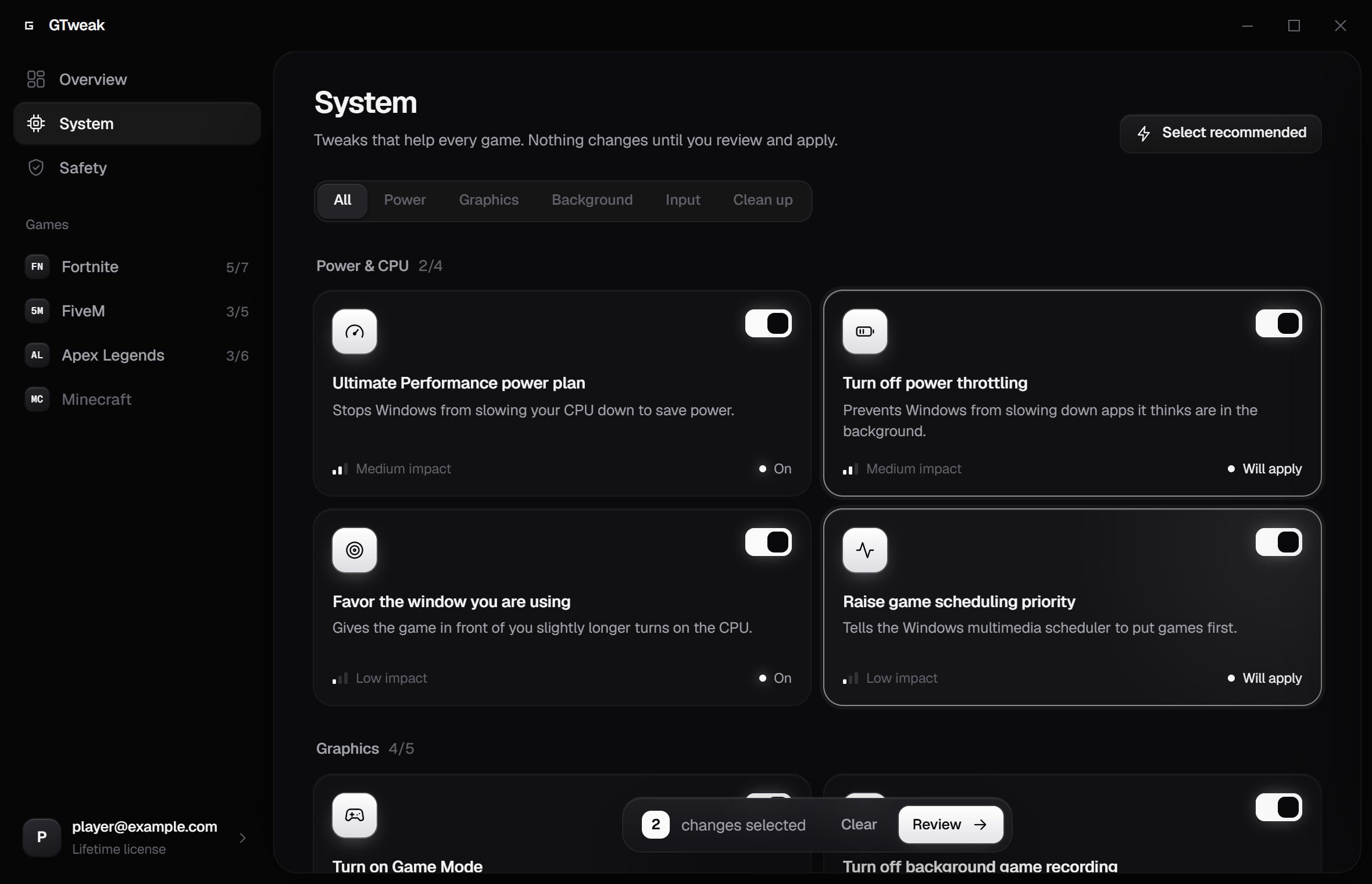
How it works
Pick what you want. Review it. Apply it.
-
01
System tweaks
Power plan, CPU scheduling, Game Mode, background recording, input and more. Settings that help every game you play, each with a plain explanation.
-
02
Game profiles
GTweak edits the settings files games keep on your PC, including options their menus hide, so you get the frame rate without hunting through forums.
-
03
A real safety net
Before anything changes, GTweak offers a Windows restore point and records the original value of every setting it touches. Undo is always one click away.
Games
Tuned for the games you actually play.
System tweaks help everything. These games also get their own profile, with settings edited directly in their config files.
Fortnite
Performance rendering mode, shadows, effects, global illumination, V-Sync, frame cap, CPU priority
FiveM
GTA V shadows, reflections, post-processing, MSAA to FXAA, grass and tessellation, cache clean-up
Apex Legends
Dynamic shadows, ambient occlusion, volumetric lighting, effects and decals, V-Sync, CPU priority
Minecraft
Render and simulation distance, graphics mode, clouds, particles, entity shadows, frame cap
Safety
Built to be undone.
GTweak only changes settings Windows and your games already have. It never installs drivers, injects into games or runs in the background.
- Restore point first. Every batch of changes starts with an offer to create a Windows restore point, so even the rarest problem has a way back.
- Exact originals. GTweak writes down how each setting looked before changing it and backs up game config files.
- One click back. Switch a single tweak off, or undo everything at once. Undo works offline, and the uninstaller can do it for you.
- Nothing hidden. Every tweak shows the exact registry value or config line it changes, before you apply it.
FAQ
Questions people ask.
Will GTweak actually raise my FPS?
Usually, yes, but how much depends on your PC and game. Game profiles (like Fortnite's Performance mode or turning off MSAA in FiveM) give the biggest gains. System tweaks mainly reduce stutter and background interference. Each tweak says honestly whether its effect is large, moderate or small.
Can it break my PC?
GTweak only changes standard Windows and game settings, the same ones you could change yourself. It offers a restore point before every change and records every original value, so you can always go back. The Safety page in the app walks you through rolling back step by step, even if Windows won't start.
Can I get banned for using it?
GTweak does not touch game files, memory or anti-cheat. It edits the same settings files a game writes when you change options in its menu, plus normal Windows settings. Close the game before applying, because games rewrite their settings when they exit.
Why do I need a license key?
You redeem a license key once when you create your account. After that you just sign in with your email and password.
Windows says "Windows protected your PC". Is that normal?
Yes. GTweak is new and not yet code-signed, so SmartScreen does not recognise it. Click More info, then Run anyway. Windows will also ask for administrator permission, because GTweak changes system settings.
How do I uninstall it?
Open Settings > Apps > Installed apps, find GTweak and choose Uninstall. The uninstaller offers to undo every change GTweak made before removing itself.